
Most shops lose declined estimates to a communication gap, not a price objection. The service advisor understood exactly why a tie rod end was failing the moment they saw it on the lift. The customer heard a phone call listing a part name and a number, with nothing to look at and no way to judge whether the explanation was real or a pitch. One short video closes that gap completely, and it takes less effort to film than it takes to read this sentence out loud.
- 01Why customers decline work they probably need
- 02This isn't a content calendar, it's a sales tool
- 03The five videos, and what each one actually does
- 04Filming all five in one afternoon
- 05Attaching video to the estimate itself
- 06Turning the same clips into retargeting ads
- 07Tracking whether it's actually working
- 08Frequently asked questions
Why customers decline work they probably need.
Ask any service advisor why a customer declined a recommended repair and the honest answer is rarely price. It's trust, and more specifically, trust in whether the thing being described is actually happening to their car or just something that sounded easy to sell over the phone. A customer who cannot see the worn part, cannot picture the failure mode, and has no way to verify any of it beyond a stranger's voice on a recorded line has exactly one rational response to uncertainty: say no, or say "let me think about it," which is the same answer with better manners.
That gap did not exist for most of automotive history, because most of automotive history involved the customer standing in the shop while the advisor walked them to the car. Phone-based service writing, text-based estimate approval, and remote drop-off have all made the actual transaction faster and more convenient, and all three have quietly removed the one thing that used to make a verbal estimate credible: a direct line of sight to the problem. A shop that wants the convenience of remote approval without the trust cost that comes with it needs a replacement for that line of sight, and a 45-second video is the cheapest, fastest one that exists.
This is also why discounting a declined estimate rarely recovers it. A customer who didn't believe the diagnosis doesn't suddenly believe it at 15 percent off, they just conclude the price was padded in the first place. The fix for a trust problem is more information presented more credibly, not a lower number attached to the same unverified claim. A video of the actual part, in the actual bay, explained in plain language, is information. A discount is a guess about what the real objection was, and it's usually the wrong guess.
This isn't a content calendar, it's a sales tool.
It's worth being precise about what this is not, because "shoot video at your shop" is advice that already exists everywhere, and most of it is pointed at a different goal. Our own video marketing guide covers the broader library a shop can build for its website, Google Business Profile, and social accounts: repair walkarounds, real testimonials, a busy-shop proof shot, a technician introduction. That content is built to be discovered by people who haven't called yet, and it lives wherever a shop posts content on an ongoing schedule.
The five videos in this guide are not that. They are built to be sent, one at a time, to one specific customer, attached to one specific estimate, at the exact moment that customer is deciding whether to say yes. Nobody browses these on a social feed and nobody needs to post them anywhere for them to work. A shop could film all five formats and never publish a single one publicly, attach them only to estimates for the next year, and still get the entire return this guide describes. The audience is a customer with their phone in hand and a decision to make in the next ten minutes, not a prospect three weeks from calling. That distinction changes what gets filmed, how long it runs, and who it gets sent to, which is why it earns its own guide instead of being folded into the broader one.
The five videos, and what each one actually does.
These five formats cover the moments where a written estimate line item leaves the most doubt behind. Film any of them the moment the relevant part or problem is in front of the camera, not as a separate production later. Each one answers a different question a customer is silently asking before they approve a repair.
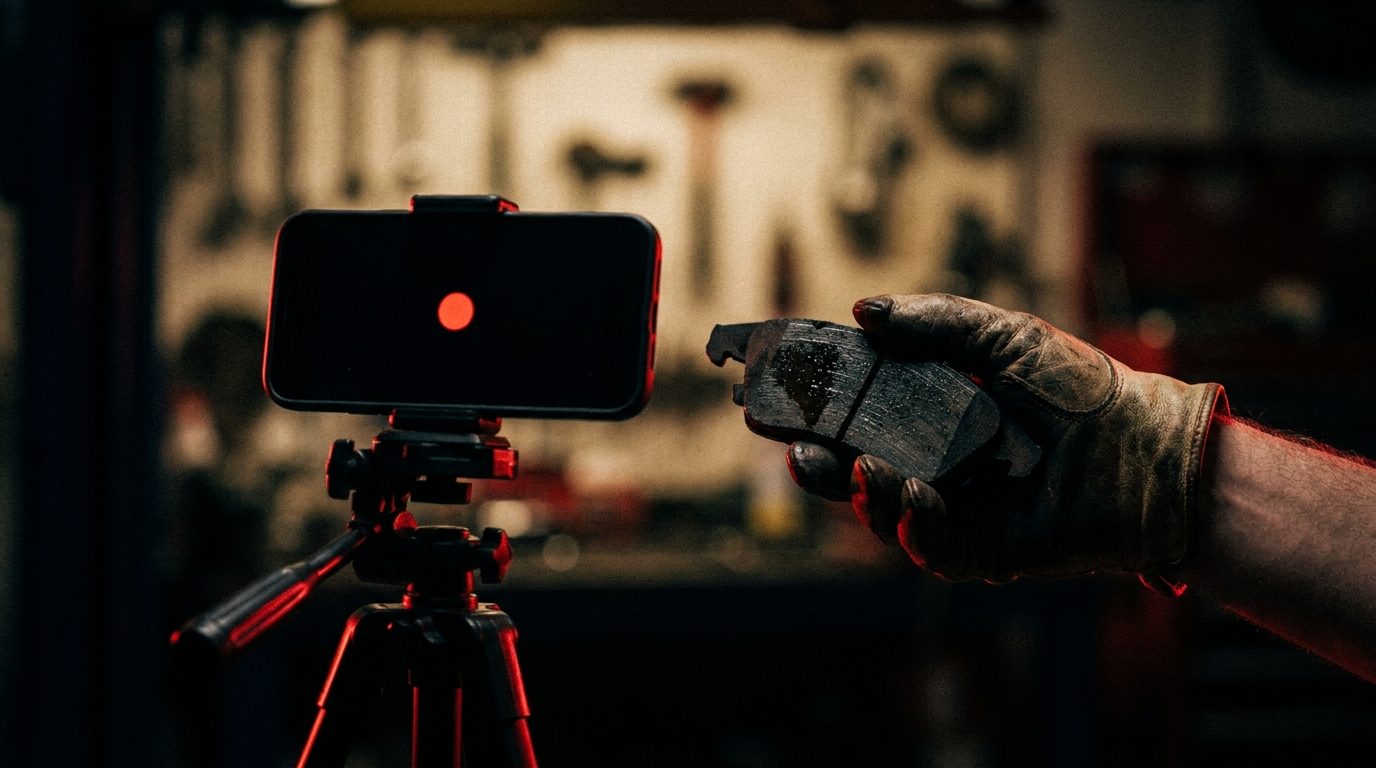
1. The failure explainer. Hold the worn part up to the lens, thirty to 45 seconds, and answer one question: what was this supposed to do, and what is it doing instead. No script, no camera look, just a plain-language cause. "This is your outer tie rod end. It's supposed to keep the wheel pointed exactly where the steering wheel tells it to. Right now there's play in the joint, which means the wheel can shift slightly on its own, especially under braking." This is the single highest-leverage format on this list, because it converts an invoice line a customer can't picture into something they just watched fail.
2. The what-happens-if-you-wait video. A direct answer to the question every customer is silently asking but rarely asks out loud: what actually happens if I don't do this today. Not a scare tactic, an honest timeline. "This isn't an emergency today. What usually happens if this goes another few thousand miles is the wear accelerates on the tire next to it, and you start feeling it in the steering wheel before it fails completely." Customers approve urgent work because they're afraid and approve non-urgent work because they trust the timeline they were given. This video is what earns that trust on the repairs that genuinely can wait.
3. The multi-point inspection walkthrough. A single 60 to 90 second pass through whatever got flagged on the inspection, narrated as the camera moves from one item to the next on the actual vehicle. This replaces the printed inspection sheet nobody reads with the same information delivered in the order it was actually found, which is also the order a customer can actually follow.
4. The maintenance interval explainer. A short video tied to routine, scheduled work rather than a failure, explaining why a specific interval exists in plain terms rather than citing a mileage number from a manual nobody has read. "Your owner's manual calls for this every 60,000 miles because the fluid breaks down and stops protecting the internal components at that point, not because the manufacturer picked a round number." This format does the most work on customers who skip maintenance entirely because nobody has ever explained why the interval matters, only that it exists.
5. The diagnostic walkthrough. For anything that required actual diagnostic time rather than a visual inspection, a short clip showing the test itself, a scan tool reading, a pressure gauge, a stethoscope against a noisy component, with a plain explanation of what it's confirming. This is the format that justifies a diagnostic fee on the invoice, because it shows the customer the work that fee actually paid for instead of asking them to take it on faith.
Notice that none of these five require a different skill set than the advisor or technician already has. They require pointing a phone that's already in someone's pocket at a part that's already on the lift, for less time than it takes to type the same explanation into a text message.
Free Video & Retargeting Audit
See exactly which estimates these videos would have saved.
We'll review your last month of declined estimates and show you which of the five formats would have made the biggest difference, then help you build the system to film them.
Get My Free Video & Ads Audit →
Filming all five in one afternoon.
None of this requires a production day. It requires catching each format on a job that's already happening, which means the fastest path to all five is patience spread across one normal shop afternoon rather than staging five fake scenarios back to back. Keep a phone charged and within reach at the service writer's desk or in the bay, and the moment any of the five situations above shows up on a real vehicle, film it in under a minute before moving on.
A few habits make this reliable instead of something that happens once and gets forgotten. Shoot horizontally, every time, since vertical video looks wrong attached to an estimate and wrong again when it gets reused as ad creative later. Film close enough that the part fills most of the frame, because a worn component shot from three feet away in a cluttered bay reads as clutter, not evidence. Use the bay's existing overhead light and just make sure the part is actually under it, rather than trying to add lighting equipment that slows the whole habit down. And say the part's actual name and function out loud on camera even though the advisor already knows it, because the customer watching doesn't, and that single sentence is doing the explaining the rest of the clip depends on.
The realistic goal for week one isn't five polished videos, it's five decent ones, captured on whatever real jobs come through the door. By the end of a normal week, most shops running four or five bays will have hit every format at least once without ever scheduling a dedicated filming session, because the raw material, a worn part and a reason it failed, shows up on the lift dozens of times a week already.
Attaching video to the estimate itself.
The video does nothing sitting on a phone. It has to reach the customer at the exact moment they're deciding, which means it travels with the estimate, not separately from it. The simplest version of this is a text message sent alongside or instead of a phone call: the estimate total, one line explaining what's being recommended, and the video attached directly, no link to click through, no app to open. A customer is far more likely to watch a 45-second clip that loads instantly in a text thread than to click a link that opens a browser, waits for a page to load, and then plays the video.
For shops using a texting or CRM platform that supports MMS attachments, this is close to zero extra workflow once the habit is built: the same message that currently reads "estimate ready, give us a call to approve" becomes "estimate ready, here's a quick look at what we found" with the clip attached. For shops without that capability yet, email works nearly as well, as long as the video is attached or embedded rather than buried three paragraphs into a wall of text the customer has to scroll to find.
Timing matters as much as delivery. Send the video with the first estimate, not as a follow-up after a decline. A video sent proactively reads as an explanation. The same video sent after a customer already said no reads as a sales recovery attempt, and it will get watched with more skepticism even though the content is identical. This is also where the video approach connects directly to a shop's existing declined services follow-up process: if a customer still says no after seeing the video, that decline is a much stronger signal that the real objection is genuinely price or timing, not confusion, which changes what the follow-up cadence should say next.
Turning the same clips into retargeting ads.
Every video filmed for an estimate is also, without any extra production work, a piece of ad creative that already has something almost no stock footage or generic ad template has: a real part, from a real bay, explained by a real person. That raw honesty is exactly what performs in paid social, where polished, obviously-produced ad creative gets scrolled past and something that looks like it was shot by a person who actually knows what they're talking about gets watched.
The targeting makes this even more effective than a cold prospecting ad. Build a Meta custom audience from everyone who visited the shop's website or requested an online estimate in the last 30 to 60 days, people who already have a reason to think about this shop, and serve them a 15-second cut of the failure-explainer or maintenance-interval format as the ad creative. These are not strangers being cold-pitched a repair shop they've never heard of. They're people who already looked, already considered, and are seeing proof of the same kind of explanation that would have been in their own estimate, which is a dramatically easier sell than any top-of-funnel ad will ever be.
Once that custom audience exists, a Google and Meta retargeting campaign built around this footage can be built and live within 24 to 48 hours, since there's no new creative to produce from scratch, only existing clips to trim and upload. That speed matters because the window where a customer who looked but didn't book is still actively thinking about the repair is short. Catching them inside that window with footage that already explained the problem once converts at a rate generic retargeting ad copy never reaches on its own.
Free Video & Retargeting Audit
Turn your bay footage into a retargeting campaign.
We'll build the custom audience, cut the ad creative from your existing clips, and have the campaign live within 48 hours.
Get My Free Video & Ads Audit →
Tracking whether it's actually working.
This only stays worth doing if a shop can see the difference, and the measurement here is simpler than most marketing metrics because it's one number a service advisor already has in front of them: the estimate approval rate, the percentage of presented estimate dollars that get approved versus declined, measured monthly. Pull that number for the month before starting, then compare it to the two or three months after video attachments become a habit rather than an experiment.
The comparison works best split by repair type rather than as one blended number, since the lift won't be even across the board. Non-urgent, trust-dependent repairs, the kind the failure-explainer and what-happens-if-you-wait formats target directly, tend to show the clearest movement, because those are exactly the estimates that were getting declined on uncertainty rather than genuine unaffordability. A worked example: a shop presenting roughly $40,000 a month in non-urgent recommended work that historically approves at 35 percent is leaving a meaningful amount of that work on the table to uncertainty alone. Industry experience across shops that adopt a consistent video-with-estimate habit typically shows that approval rate climbing into the mid-40s to low-50s range within a quarter, not because the diagnoses changed, but because the customer finally had something to look at before deciding.
On the ad side, track the retargeting campaign the same way any paid campaign gets tracked: cost per booked appointment from that specific audience, compared against a shop's standard prospecting campaigns. A well-targeted retargeting audience should produce a noticeably lower cost per booking than cold traffic, since the entire audience already has a relationship with the shop. If it doesn't, the first thing to check is whether the creative being served is actually this kind of real, specific explainer footage or whether it drifted back toward generic stock-feeling ad copy, since that's almost always the difference between a retargeting campaign that performs and one that quietly underperforms a cold campaign it should be beating easily.
None of this replaces a shop's broader marketing system. It's a specific fix for a specific leak, the gap between a correct diagnosis and a customer who has no way to verify it, and it closes with a tool every advisor already carries in their pocket.
Frequently asked questions.
What if nobody at the shop is comfortable being on camera?
Nobody needs to perform. These five videos work because a hand, a worn part, and a voice explaining what's happening are enough. The advisor or technician never has to look at the lens, introduce themselves, or deliver a scripted line. Point the phone at the part, talk through what it does and why it failed, and stop. The least polished version of this almost always outperforms a scripted one, because customers can tell the difference between an explanation and a pitch.
How long should each educational video actually be?
Thirty to 90 seconds for all five formats. The moment a video crosses two minutes, it stops getting watched all the way through by someone deciding whether to approve a repair, and it stops working as short-form ad creative entirely. Short is not a compromise here, it's the format that actually gets used twice: once attached to the estimate, once cut down for a retargeting ad.
Do we need a camera, lighting, or editing software to do this?
No. A current phone's camera is sharper than anything a shop needs for this, the shop's existing bay lighting is enough as long as the part is held somewhere the overhead light actually reaches it, and none of these five formats need a single cut, caption, or music track. Editing software adds a step that gives a shop an excuse to never finish. Film it, trim the start and end in the phone's own built-in tools if needed, and send it.
Where do these videos get used besides attaching them to an estimate?
The same five clips, or the five formats repeated on new jobs, feed four separate places without any extra filming: attached directly to declined or pending estimates, posted to the shop's Google Business Profile and social accounts as ordinary content, cut into 15-second retargeting ads aimed at recent website visitors and estimate requesters, and kept on file as before-the-fact documentation if a comeback or a warranty question ever comes up.
How fast can a retargeting campaign built from this footage actually launch?
Once a shop has a custom audience built from website visitors and estimate requesters from the last 30 to 60 days, a Meta or Google retargeting campaign using this footage as the ad creative can be built and live within 24 to 48 hours. The slow part was never the ad platform, it was having footage worth running. Once that exists, launching against an audience that already knows the shop is one of the fastest campaigns to stand up in a shop's entire marketing stack.

Free Video & Retargeting Audit
Turn bay footage into booked estimates.
We'll show you exactly which five videos to film and how to turn them into ads.
Received
Thanks. Talk soon.
We'll reach out within 24 hours with your custom 90-day roadmap.